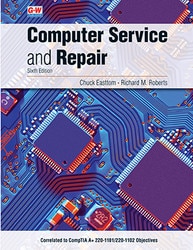


Computer Service and Repair, 6th Edition
• Master computer troubleshooting, repair, maintenance, and technical support skills.
• Prepare for CompTIA A+ certification with exam-focused practice and review.
• Build career-ready IT skills including hardware, networking, and professionalism.
Title Overview
Title Overview
Computer Service and Repair is written for individuals wishing to pursue a career in information technology with a specific focus on troubleshooting, repair, maintenance, or support. The text provides specific content about IT as well as career information needed for employment. This introductory text can be used by students with no PC experience, as well as technicians who have limited formal training. Written in an easy-to-understand format with hundreds of illustrations, this text takes the reader from basic instruction to test preparation for CompTIA A+ 220-1101 and 220-1102 objectives. With a focus on employment in the industry, an entire chapter is dedicated to walking students through job applications, résumés, cover letters, and interviews, and it emphasizes the importance of soft skills and digital citizenship.
- Sample A+ questions at each chapter's close mimic questions students will face on the CompTIA exam, providing them a sample of what to expect when they take the CompTIA A+ Certification Exams. A+ Certification Preparation chapter contains two 90-question practice exams, providing students with additional certification exam practice.
- Each chapter opens with a list of CompTIA objectives covered in the content. Students can use the list of objectives as a checklist, verifying their understanding of A+ standards as presented in the material.
- Tech Tip feature provides additional information regarding processes, procedures, and utilities, as well as supplemental information that will prove useful in the IT industry. Caution features highlight important personal- and machine-safety information students need to know before performing any maintenance.
Table of Contents
Table of Contents
1. Introduction to a Typical PC
2. Operating Systems
3. Motherboards
4. Central Processing Unit (CPU)
5. Power Supplies
6. Memory
7. Input Devices
8. Video Systems
9. Audio Systems
10. Magnetic and Solid-State Storage Devices
11. Optical Storage Technology
12. Printers
13. Laptops and Mobile Devices
14 Modems and Transceivers
15. Physical Security and Authentication
16. Security Applications and Malware
17. PC Troubleshooting
18. Data Recovery
19. Introduction to Networking
20. Network Communication, Media, and Tools
21. Managing Networks
22. Network Operation and Connectivity
23. Small-Office/Home-Office (SOHO) Networking
24. Customer Support, Communication, and Professionalism
25. CompTIA A+ Certification Exams Preparation
26. Employment and Advanced Education
Instructor Resources
Instructor Resources
Hit the ground running with G-W's Online Instructor Resources that save you time and make it easier to prepare for class, reinforce new concepts, and assess learning. Created by educators for educators, these complete teaching packages are ready to go and will instantly make a difference in your class. Best of all—Instructor Resources are free with qualified purchases!
- Lesson Plans and Activities
Experienced teachers have developed detailed lesson plans and creative activities to accompany the textbooks. There's no need to spend days recreating your courses—they have done it for you! - PowerPoint Presentations
Editable slides for each chapter engage a variety of learning styles, improve student focus, encourage discussion, and provide visual impact. - Workbooks
Creative workbook activities inspire students to review and apply concepts. - Interactive Content
Additional interactive content including flash cards, animations, and interactive activities enhance the learning experience.
Look Inside
Look Inside
The Look Inside is for preview purposes only. The format of the actual product may vary from the image shown.
Text

About the Author
About the Author
Course Content
Includes full coverage of newest CompTIA A+ 220-1101 and 220-1102 Exam Objectives
You Might Also Like