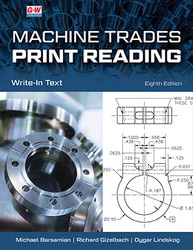


Machine Trades Print Reading, 8th Edition
• Master machine shop print reading, blueprint interpretation, and technical drawing analysis.
• Learn dimensioning, tolerancing, symbols, and specifications used in manufacturing.
• Build job-ready skills for machining, inspection, and precision manufacturing careers.
Title Overview
Title Overview
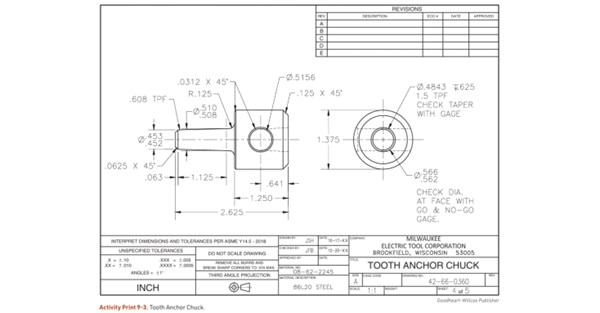
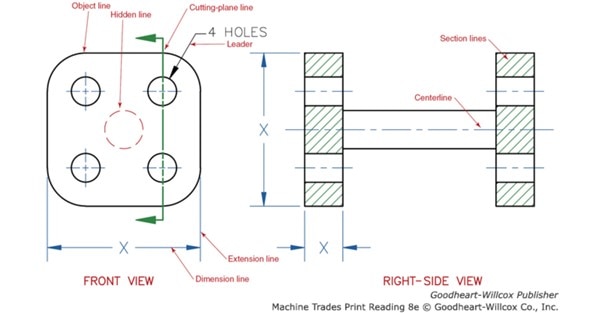
Machine Trades Print Reading is a combination text and write-in workbook (now in four color) designed to help students develop the basic skills required to visualize and interpret industrial prints. Ideal for beginner students, this text provides basic explanations supported by numerous print reading activities. The instructional materials, illustrations, and industrial prints are presented in a step-by-step sequence. This edition includes expanded, up-to-date coverage of GD&T and complies with the most recent ASME Y14 standards. In addition to an overview of the role of prints in the design and manufacturing process, this text teaches students the fundamentals of visualizing shapes, line usage, title blocks and notes, math, measurement, dimensions, and tolerances. Print reading activities are included at the end of most units to provide students with valuable hands-on learning opportunities, and Unit 18 is a collection of prints and activities that review all the material presented in the text. For digital users, 3D model PDF files for select parts featured in the text support visualization practice and new interactive activities engage students and improve comprehension.
- The concise topical format provides students with accessible content for easy comprehension.
- New and improved prints, illustrations, authentic drawings, and activities allow for real-world, applied learning.
- Coverage now includes knurls, surface finish, and six degrees of freedom.
Table of Contents
Table of Contents
1. Drawings and Prints
2. Visualizing Shapes
3. Line Usage
4. Title Blocks and Notes
5. Applied Math
6. Measurement Basics
7. Dimensions and Tolerances
8. Holes
9. Contours and Angles
10. Threads
11. Machining Details
12. Sectional Views
13. Auxiliary Views
14. GD&T Introduction
15. GD&T Applications
16. Detail Drawings
17. Assembly Drawings
18. Print Reading Review
Reference Section
Glossary
Index
Instructor Resources
Instructor Resources
Hit the ground running with G-W's Online Instructor Resources that save you time and make it easier to prepare for class, reinforce new concepts, and assess learning. Created by educators for educators, these complete teaching packages are ready to go and will instantly make a difference in your class. Best of all—Instructor Resources are free with qualified purchases!
- Lesson Plans and Activities
Experienced teachers have developed detailed lesson plans and creative activities to accompany the textbooks. There's no need to spend days recreating your courses—they have done it for you! - PowerPoint Presentations
Editable slides for each chapter engage a variety of learning styles, improve student focus, encourage discussion, and provide visual impact. - Interactive Content
Additional interactive content including flash cards, animations, and interactive activities enhance the learning experience. - Assessments
The new cloud-based G-W Assessment platform allows you to create, customize, assign, and print prebuilt questions and tests. No more downloads, uploads, or imports needed! Integrate it with your LMS for autograded assignments, advanced reporting, and scores that flow into your gradebook.
Look Inside
Look Inside
The Look Inside is for preview purposes only. The format of the actual product may vary from the image shown.
Text

About the Author
About the Author
Course Content
What Educators Are Saying
 This book takes the student through a step-by-step process of learning the details and practicing with a variety of dimensioning applications, standards, and illustrations with real drawings.
Mahmood Azhar, Southern Crescent Technical College, GA
You Might Also Like